 Left Today
Small daily purchases go unnoticed: tea, snacks, a ride, a top-up.
The habitRecord every purchase in 2 seconds
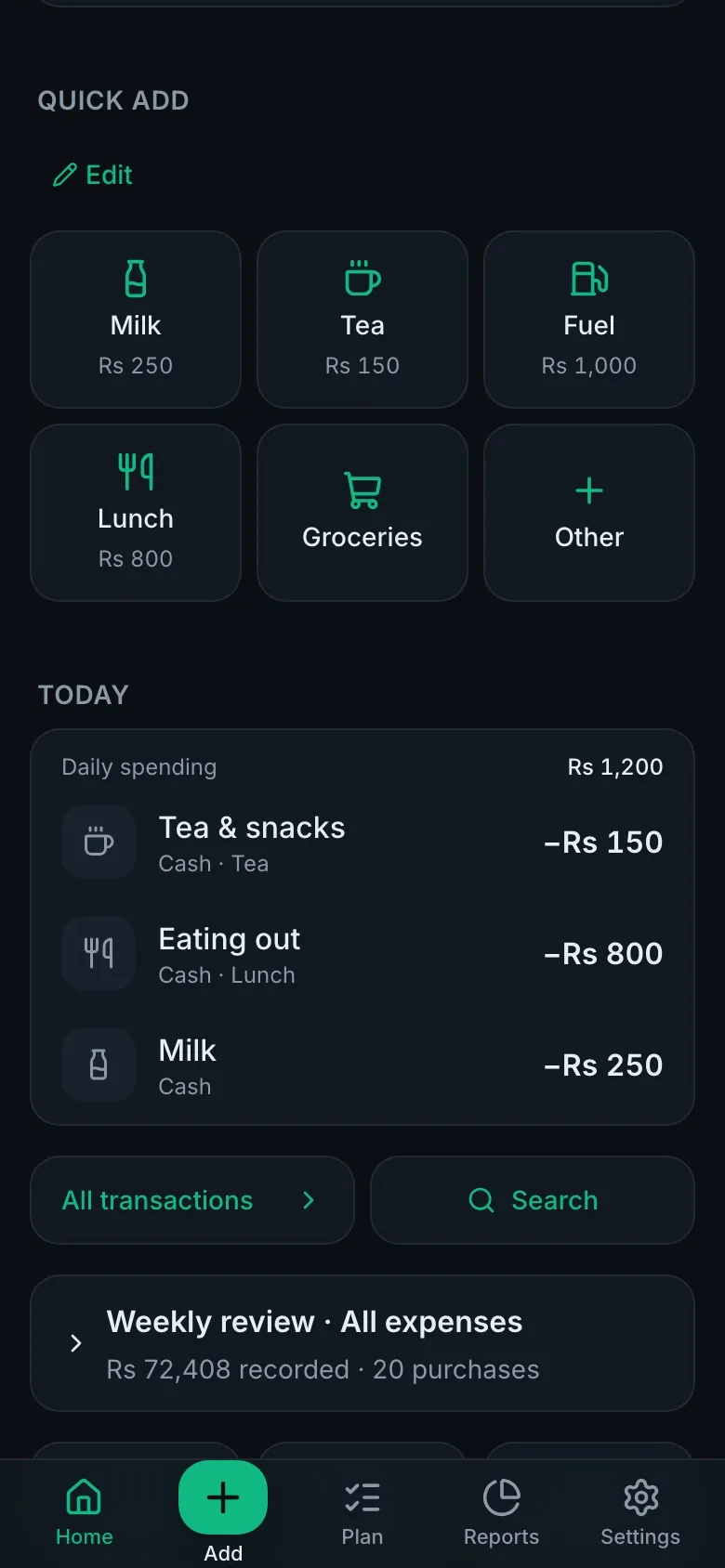
One tap on a quick button saves it, with Undo. Your Left today updates straight away.
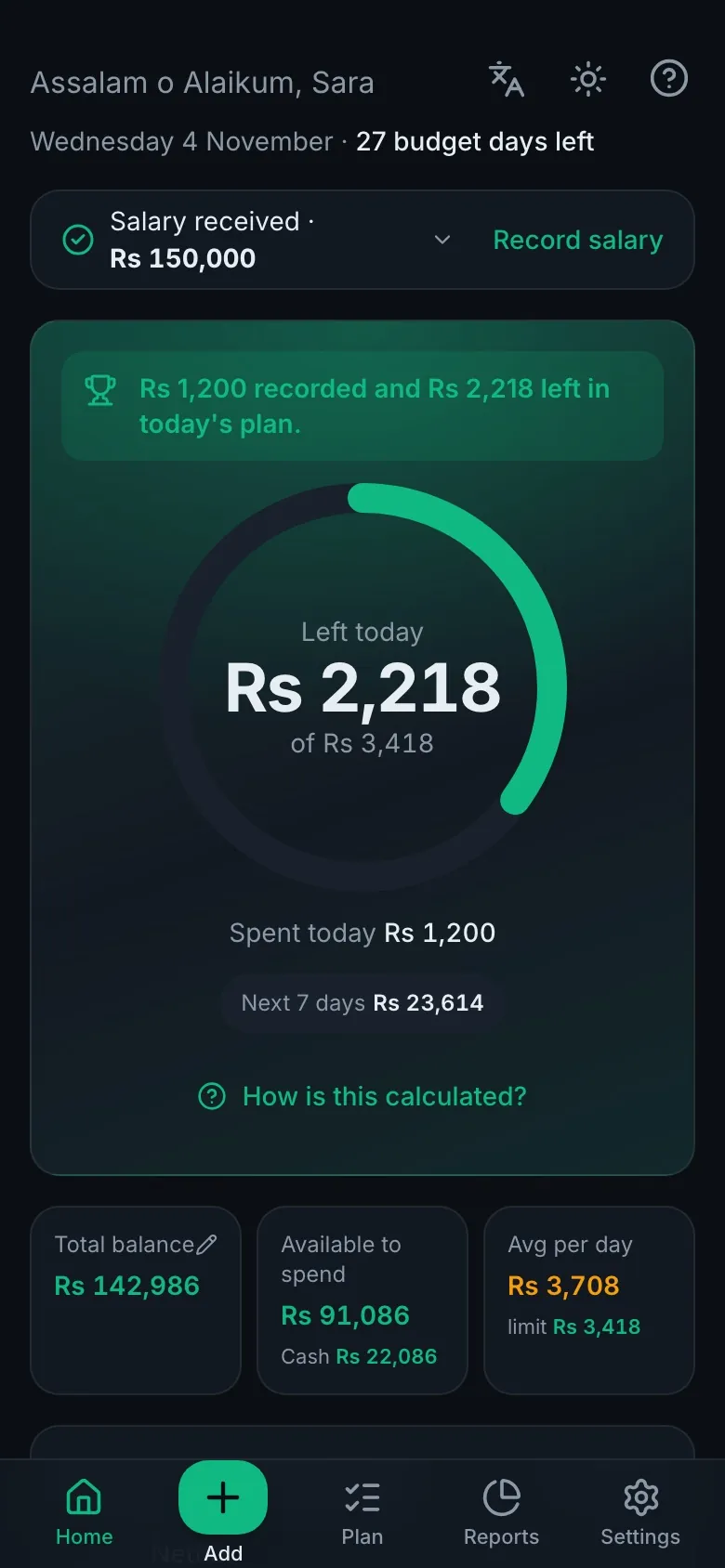
Left Today takes your salary, bills, debts and savings and turns them into one number: Left today. Record a purchase in two seconds and watch the month stay on plan.
Most people don't overspend on big things. The month slips away in small purchases, forgotten bills and short loans that roll over.
Small daily purchases go unnoticed: tea, snacks, a ride, a top-up.
The habitOne tap on a quick button saves it, with Undo. Your Left today updates straight away.
Rent, bills and fees aren't planned when the salary arrives.
The habitA payday checklist puts bills, debts and savings first, so only free money is left to spend.
A short month becomes a small loan that carries into the next one.
The habitLeft today is what you can spend and still cover everything until next payday. Rounded down, never up.
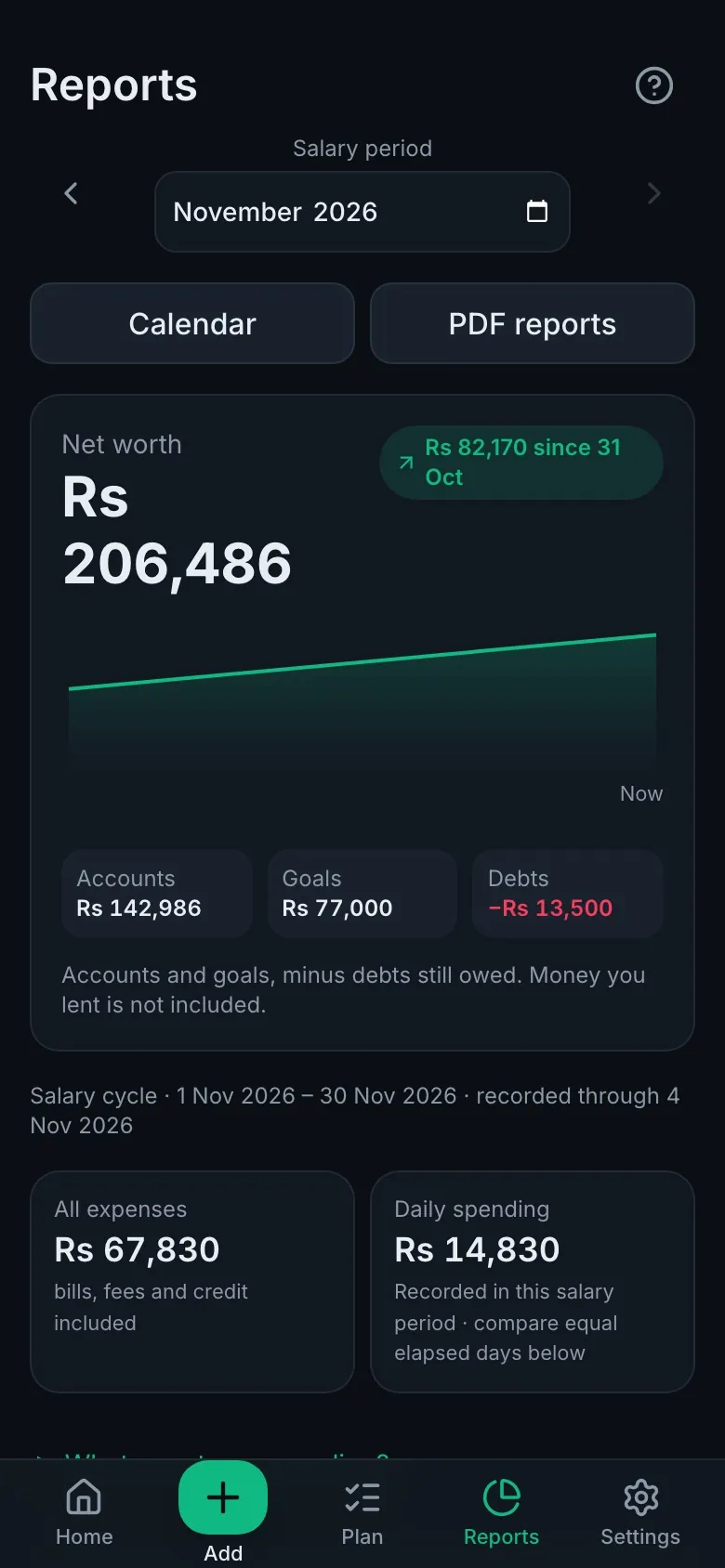
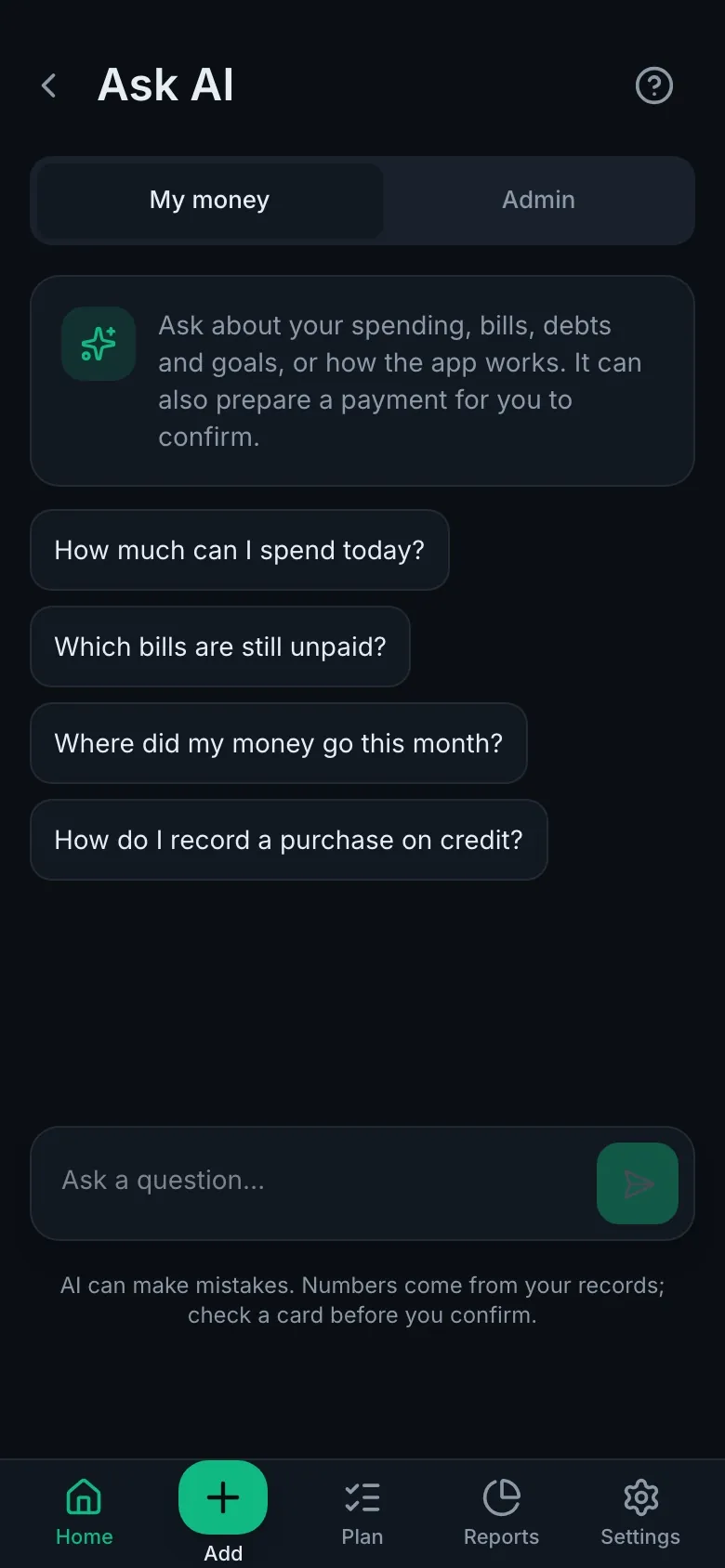
Real screens from the app with sample data. It plays on its own; tap a bar or use the arrows to jump.
Built for people paid once a month who want to get to the next payday without borrowing.
Your daily limit from real balances, after unpaid bills, debts due and savings are set aside. Spend less today and tomorrow's limit grows.
Your own buttons for Milk, Tea, Fuel or Lunch. Tap to save, long-press to change the amount. Works offline and syncs later.
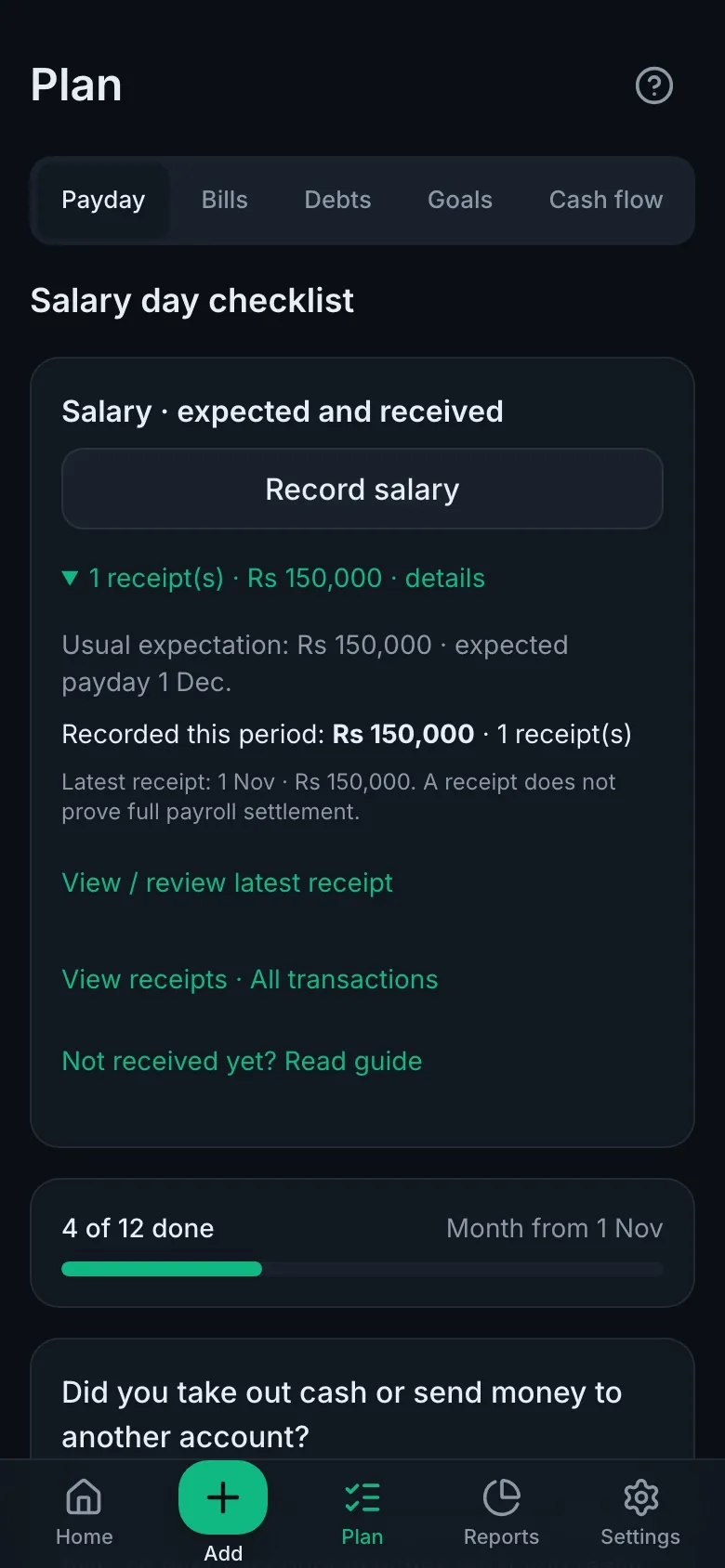
Record the salary, then pay each bill, debt and savings goal with one tap. A progress bar shows how much is done.
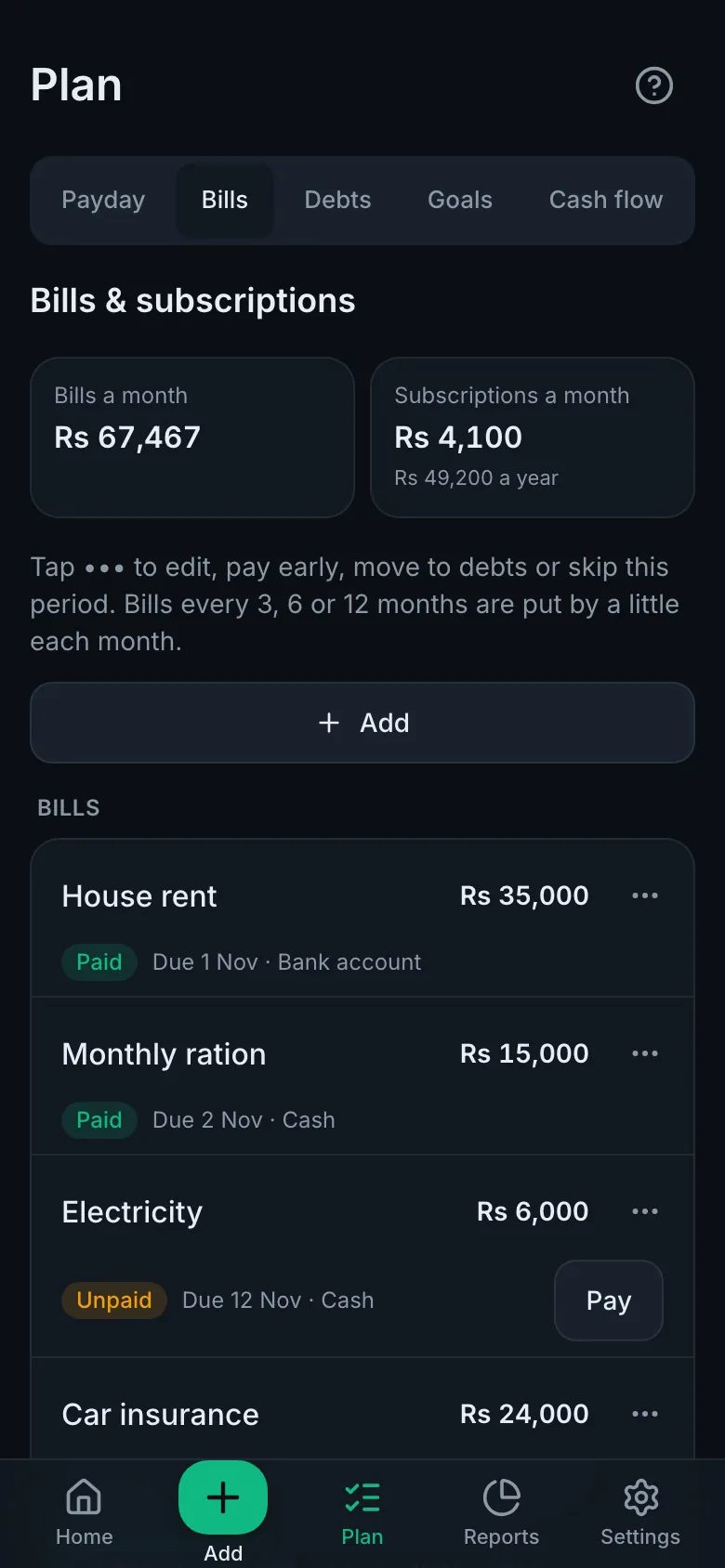
Monthly, quarterly or yearly bills. Big yearly bills are put by a little each month, and subscriptions can record themselves.
Udhaar at the corner shop, unpaid bills, and money borrowed from family with no fixed date: tracked, but never eating your daily limit. Overdue debts are flagged.
Bank loans, car and bike leases, Islamic financing and shop qist. Only this month's installment comes off your limit, missed ones are flagged, and the loan calculator shows the true cost before you sign.
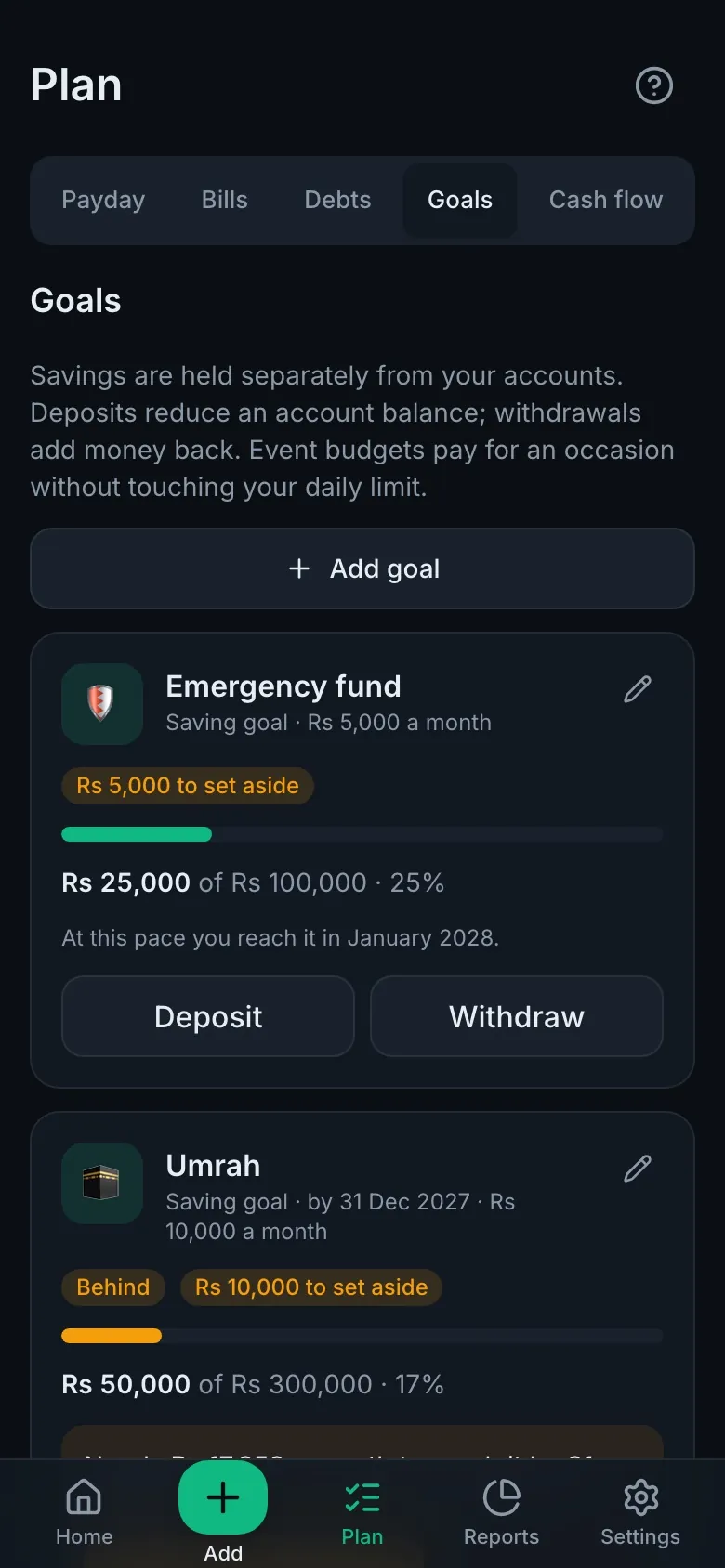
Emergency fund, Umrah, a new phone. Set a target and a monthly amount; event budgets like Eid pay for themselves.
Where the money went, this month against last month, and your biggest repeated purchase, with what halving it would save.
"How much can I spend today?" "Which bills are unpaid?" Answers use your own numbers, and it prepares payments for you to confirm.
Add it to your home screen on Android or iPhone. Dark and light themes, sounds, reminders and push notifications.
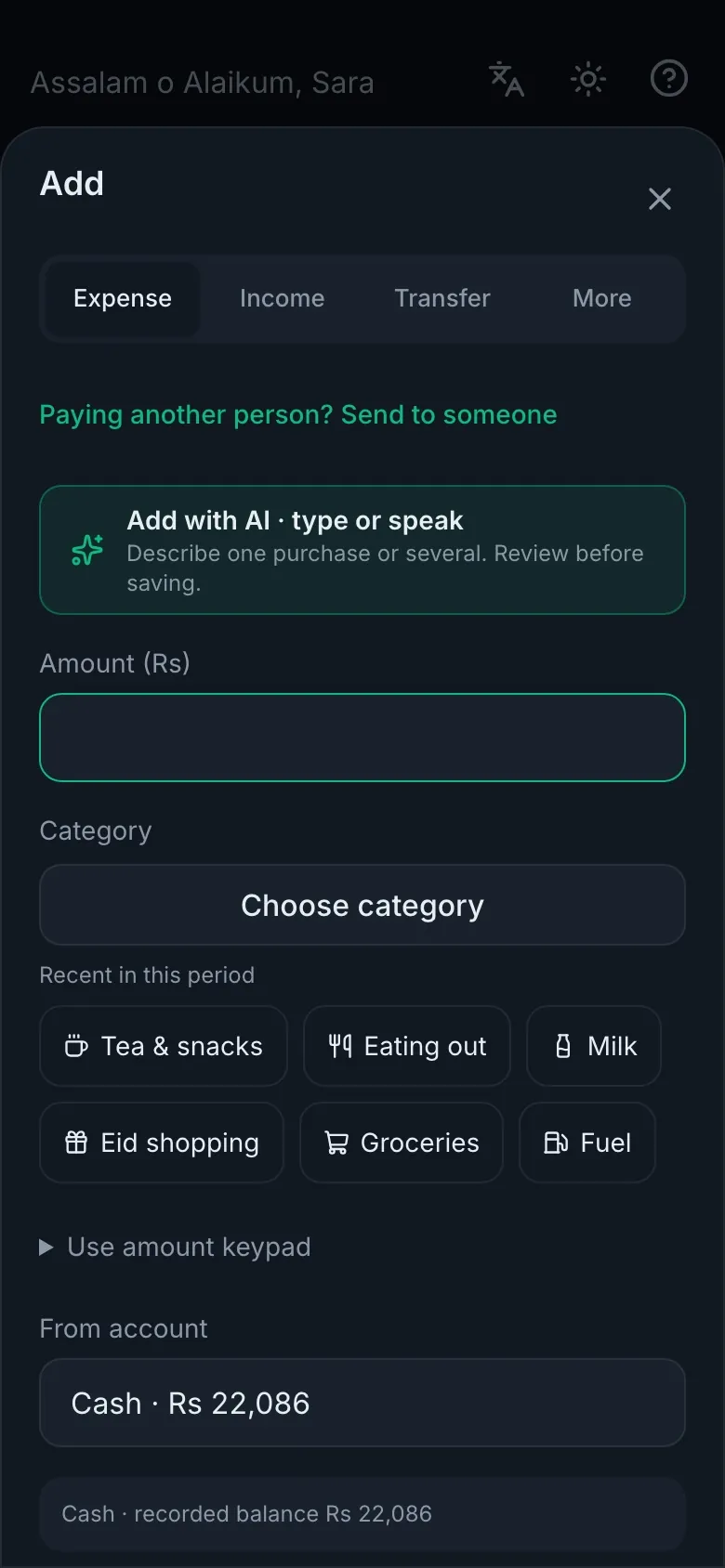
Name, email and a password. Enter the code we email you and your private workspace is ready.
A short setup asks for your salary day, account balances, regular bills and any debts. Skip what you don't have.
Add purchases as you go. On payday, follow the checklist. That's the whole routine.
Use it in your language
Start on Basic and keep it as long as you like. Upgrade only if you want the extras.
Free
Everything you need for daily budgeting.
Rs 299 / month
or Rs 2,999 a year
Premium is paid by bank transfer, JazzCash or Easypaisa from inside the app. Send the amount, upload the receipt, and Premium is switched on after a quick check, usually within a day. No card details are ever asked for.
No bank connection is needed. You record what you choose, in your own separate workspace.
Each person's records are kept apart from everyone else's. Passwords are stored only as secure hashes.
Mark a category private and it shows as "Private" on screen. The AI never sees its real name.
Lock the app with a passcode. Sensitive details and private notes are stored encrypted.
Your limit is calculated by the app, never by the AI. Anything the AI prepares waits for you to confirm.
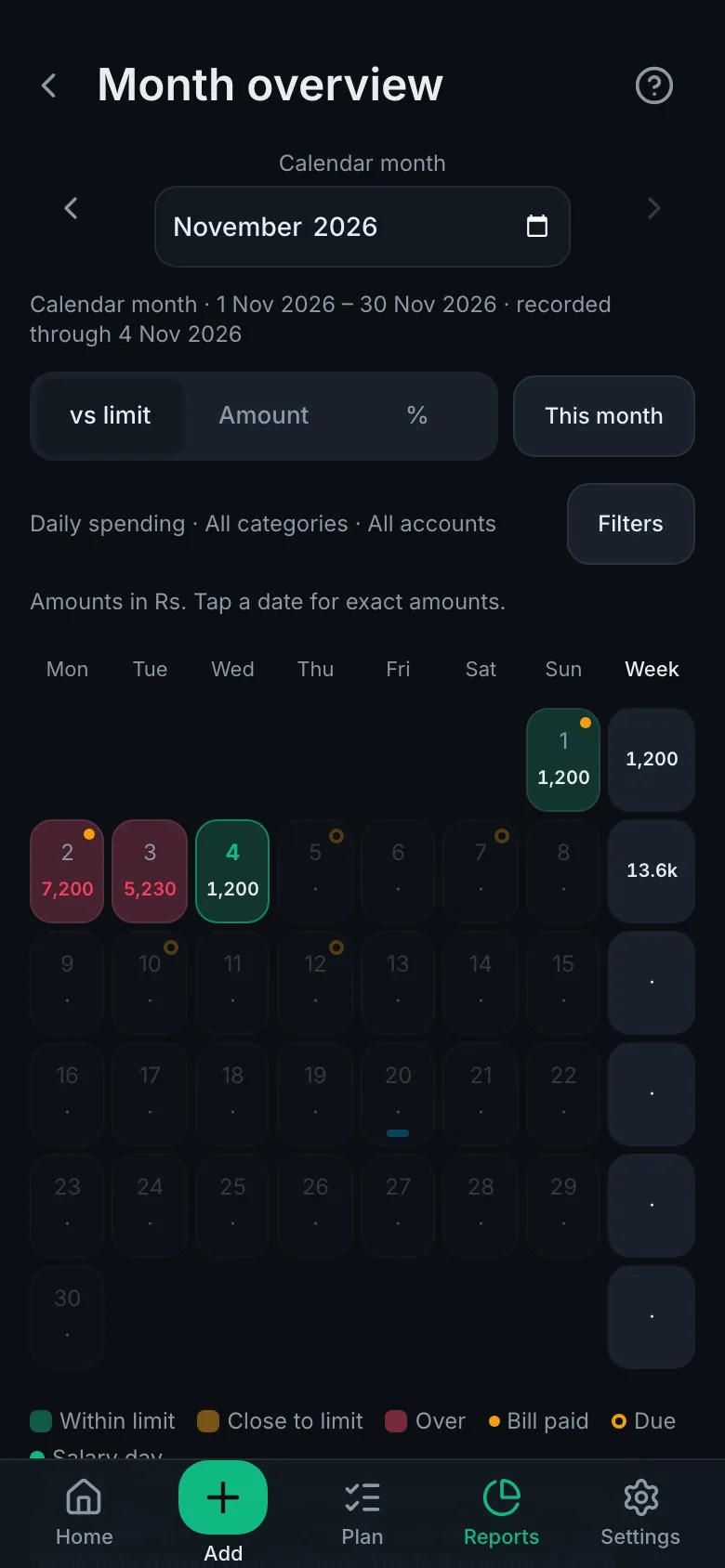
Yes. Basic is free with no time limit and no card. It covers the daily limit, quick add, bills, debts, goals, the payday checklist and reports. Premium adds the calendar, PDF reports, cash flow forecast and more AI.
No. You enter your starting balances once, then record purchases and payments yourself. That's what makes the habit work: you notice every rupee.
The app adds up the money in your accounts, takes away unpaid bills, debts due before payday and this month's savings, then divides the rest by the days until your next salary. It always rounds down. Tap "How is this calculated?" in the app to see each number.
Yes. Open it in your phone's browser and choose "Add to Home Screen". It opens like a normal app and keeps working without internet; your entries sync when you're back online.
Inside the app, open Premium and pick monthly or yearly. Send the amount to one of the listed accounts (bank, JazzCash or Easypaisa), then upload a screenshot of the receipt with its transaction ID. Premium is switched on after a check, usually within a day.
Yes. Add a bank loan, a car or bike lease, Islamic financing (Ijarah or Musharakah) or shop installments with the amount, rate and months. Only each month's installment is taken from your daily limit. The loan calculator also shows what a "flat" rate really costs, for free.
Yes, any time. In the app open Settings → Profile → Delete account. Your account and all its data are deleted straight away. See what is deleted.
English, Urdu, Hindi and Arabic. You can switch any time, even on the sign-in screen.
Set your own salary day. If the salary comes early or late, the app has a step-by-step guide and adjusts your month without counting anything twice.
Create a free account in a minute. No card, no bank connection.